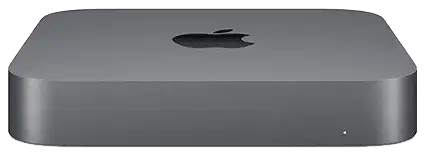
Apple · Mac Mini
Sell Your Mac Mini (2018 (Space Gray))
Select your exact configuration to see your estimated trade-in value.
Prices update weekly from recent eBay and marketplace sales. Your final cash offer depends on condition at inspection.
What’s Your Mac Mini (2018 (Space Gray)) Worth?
Processor
Memory
Condition
Pick the tier that honestly matches your device.
Pricing assumes the device is fully paid off, has not been reported lost or stolen, and is signed out of iCloud / Find My or your Google account.
Mac Mini (2018 (Space Gray)) Trade-In Prices
| Configuration | Like New | Good | Fair |
|---|---|---|---|
| 3.0GHz i5 / 16GB | $214 | — | $88 |
| 3.0GHz i5 / 32GB | $223 | — | $92 |
| 3.0GHz i5 / 8GB | $203 | — | $84 |
| 3.2GHz i7 / 16GB | $258 | — | $106 |
| 3.2GHz i7 / 32GB | $268 | — | $110 |
| 3.2GHz i7 / 8GB | $247 | — | $102 |
| 3.6GHz i3 / 16GB | $184 | — | $76 |
| 3.6GHz i3 / 32GB | $194 | — | $80 |
| 3.6GHz i3 / 8GB | $173 | — | $71 |
Ready to sell your Mac Mini (2018 (Space Gray))?
No shipping, no fees. Meet a local buyer and get cash today.
Find Buyers Near YouLooking to buy a Mac Mini (2018 (Space Gray))?
Compare deals from trusted eBay sellers.
Mac Mini (2018 (Space Gray)) Specifications
| Processors | 3.0GHz i5, 3.2GHz i7, 3.6GHz i3 |
| Memory | 16GB, 32GB, 8GB |
| Brand | Apple |
Sell a Cracked or Broken Mac Mini (2018 (Space Gray))
Even cracked and broken devices have value. Buyers quote one damaged price and confirm it at inspection. A high battery cycle count usually drops a laptop a tier.
Cracked
Up to $26
Cracked display or failed keyboard, but it boots
Broken
Up to $26
No power, no display, or liquid damage
How Much Is a Mac Mini (2018 (Space Gray)) Worth?
The Mac Mini (2018 (Space Gray)) trade-in value ranges from $90 in Fair condition to $218 in Like New condition. Exact pricing depends on configuration and cosmetic condition. Use the estimator above to get your exact price.
Selling a computer online means shipping a fragile, heavy device. Local buyers meet in person, test it on the spot, and pay cash. No packing, no shipping labels, no insurance claims.